PDF editors are valuable tools in schools that allow students with different platforms--Google Apps, MS Office, and others--to make annotations, add comments, edit content (with some restrictions), and collaborate. Students can submit assignments digitally
despite differences between their home platform and school (say, they use MS Office at home and Google Apps at school). Lesson plans and materials can be shared as PDFs with reasonable assurance they will be able to access and read it. PDF files are (much) smaller than others making them easier to transfer via email and save in folders. No surprise that as useful as PDFs are, there are many options. An Ask a Tech Teacher contributor reviews five options for you to
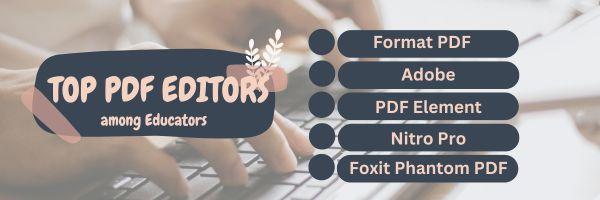
consider: - Format PDF
- Adobe
- PDF Element
- Nitro Pro
- Foxit Phantom PDF
Click for more |
Nothing teaches one how to become a math teacher quite like modern technology. It’s fun and engaging, and there's always something new to learn. Maybe even a new way to present information to the learners every time. Click for more Learning a second language for many is complicated. Some of us are naturals at linguistics, others, not so much. Teaching means adapting to different students who learn in different ways. Here are four proven approaches: Click for more Streamlining teacher work means finding (more) efficient ways to manage tasks, improve productivity,
and enhance the teaching experience. Here are strategies to achieve this: Click for more Tessellations are repetitive patterns of shapes that cover a surface without overlapping. With Excel (or another spreadsheet program), you can create tessellations by arranging shapes in a grid and using formulas and formatting options to make the patterns visually appealing. Here's a
step-by-step lesson plan to use Excel or another spreadsheet program to teach tessellations: Click for lesson plan |
|